
Learning how to program a key fob yourself can save you a trip to the dealer and the programming fee that comes with it.
On many older cars you can pair a new remote in a few minutes, with nothing but the car, a working key and the right sequence of door, ignition and button presses.
On many newer cars you can’t, and knowing which group your car falls into before you buy a fob is the most useful thing this guide can tell you.
Pairing a new fob without the dealer
Whether you can program a key fob at home depends on your car's age, its key type and how many working keys you already have.
Older cars with a separate remote or a key you turn in the ignition often have a built-in learn mode. Push-button smart keys, most European cars and anything where you have lost every key usually need a locksmith or dealer with a diagnostic tool.
- How to tell if your car supports onboard programming
- The general steps, plus real examples from Ford, GM and Toyota
- Why the remote and the immobiliser chip are programmed separately
- How to buy the right replacement fob, and when to call a professional
The short answer
- Older cars: often yes Many cars from roughly the late 1990s to the late 2000s let you program a remote yourself with a sequence of ignition turns, door opens and button presses.
- Newer cars: usually no Most push-button smart keys and many 2010-onward cars need a diagnostic tool plugged into the OBD port.
- You need a working key Onboard programming nearly always needs at least one working key, and some cars need two to add a third.
- Two jobs, not one The buttons (lock and unlock) and the chip that lets the engine start are programmed separately. Doing one does not do the other.
- Match the fob first A replacement must match the original’s FCC ID and part number, or it will never pair, however it is programmed.
Can you program a key fob yourself?
Sometimes. It depends on the car. As the auto locksmith firm KeyMe explains, you can program a new fob either through the car’s own built-in onboard programming process, which some older models have, or by having a locksmith or dealer do it with specialist diagnostic tools.
KeyMe puts the dividing line at roughly the mid-2000s: many cars built before then can be synced with a simple sequence, and many built after cannot.
Onboard programming means the learn mode is built into the car’s own electronics. You put the car into programming mode with a set routine, press a button on each fob you want it to remember, and then leave programming mode. No tools, no laptop and no fee.
The catch is that the routine is different for every make, often for every model, and sometimes for every model year.
The other route is tool-based programming. A technician plugs a scan tool or key programmer into the OBD port under the dashboard and tells the car’s computer to add a new key. Mechanic Base sums up the split well: you can usually program the lock and unlock function yourself, but programming a key so it can also start a modern car is impossible on most models without the right tools.
So before you look up how to program a key fob for your car, answer three questions. What type of key do you have? Does your car support onboard programming? And how many working keys do you have right now? If you have lost every key, skip ahead to our lost and replacement car keys guides, because DIY programming almost never works without a working key.
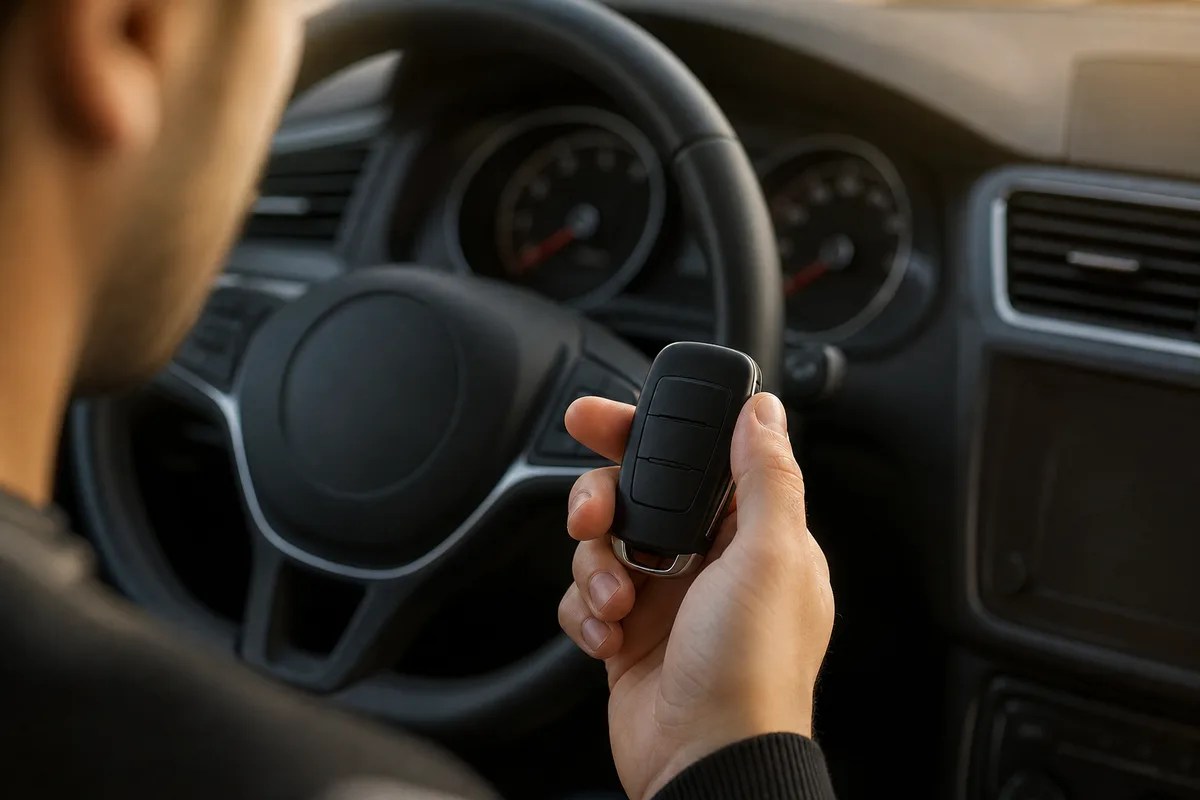
Many older cars can learn a new remote in a few minutes, with no tools, as long as you have a working key.
Know which type of key fob you have
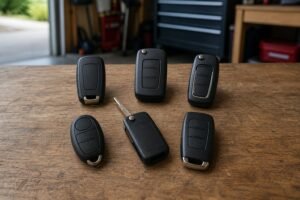
The word “fob” covers three quite different things. Each one is programmed in a different way, and the type you have decides most of what you can do at home.
A separate remote (remote only)
This is a small plastic remote on your key ring, separate from a plain metal ignition key. It only locks and unlocks the doors, opens the boot and sounds the panic alarm. It has nothing to do with starting the engine. These remotes are the easiest to program yourself, and many cars from the 1990s and 2000s let you add one with an onboard programming routine.
A remote head key or flip key
Here the buttons and the key blade are in one unit. Inside the head there are really two devices: a radio remote for the locks and a transponder chip that the immobiliser reads when you turn the key. The car will only start if it recognises the chip. That means a remote head key needs two separate programming jobs, one for the buttons and one for the chip. On some older cars both can be done at home; on many, only the buttons can.
A smart key or proximity key
A smart key stays in your pocket. The car detects it when you touch the door handle or press the start button. These use encrypted signals and, in most cases, need a locksmith or dealer. A few makes do allow owners to add a smart key, usually only when two working smart keys are present. If your fob has a push-button start, read our keyless entry guides to understand how the system talks to the car.

A separate remote, a remote head key and a smart key are all called fobs, but each is programmed differently.
What you need before you start
Get everything together first. Most learn modes give you only a few seconds between steps, and stopping to look for the second fob means starting again. KeyMe’s checklist is a good one: your car’s year, make and model, the new replacement fob, all of your existing working keys and fobs, and proof of ownership if a professional is involved. KeyMe also warns that once the car enters programming mode you often have under 10 seconds to pair each fob.
Every fob you want to keep. On many cars, entering programming mode wipes the list of remotes the car knows. Any fob that is not programmed in the same session stops working. Bring every remote, old and new.
At least one working key. Almost every onboard programming routine starts with a key that already works in the ignition. Some cars, Ford being the best-known example, need two working keys before they will accept a third chip key.
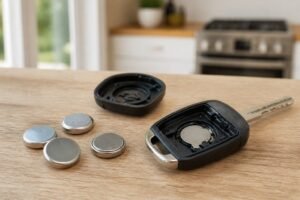
Fresh batteries. A new fob may arrive with a weak battery, and an old one may be close to flat. Fit a new coin cell to every fob before you begin. If you’re not sure which one your fob takes, see our key fob battery guides.
The exact routine for your car. Look in the owner’s manual first. Search the index for “transmitter”, “remote”, “keyless entry” or “programming”. If it is not there, the instructions supplied with a good replacement fob, or your carmaker’s online owner’s site, usually are.
A cut blade, if your fob has one. If the new fob includes a key blade you will use in the ignition, have it cut to your car first. A blank blade will not turn the ignition, so you cannot even begin the programming routine.
How to program a key fob: the general onboard programming method
Every make does it differently, but most onboard programming routines follow the same pattern. Once you understand how to program a key fob in general terms, the steps in your manual will make far more sense, and you will know what to watch for at each stage.
1. Set the scene. Sit in the driver’s seat with all the doors closed (or, on some cars, just the driver’s door open). Have every fob within reach and the working key in your hand.
2. Enter programming mode. This is the part that changes from car to car. Common triggers are turning the ignition between OFF and ON a set number of times within a few seconds, inserting and removing the key, opening and closing the driver’s door, or holding the door’s unlock switch while you cycle the ignition.
3. Watch for the signal. The car confirms it is in programming mode, almost always by locking and unlocking the doors by itself, sometimes with a chime or a light. If the locks don’t cycle, the car is not in programming mode, and pressing fob buttons will do nothing. Start again.
4. Press a button on each fob. Within the time window, press the button your manual names, often lock or lock and unlock together, on the first fob. The locks cycle again to say the fob has been learned. Repeat for every other fob.
5. Leave programming mode and test. Turning the ignition off or opening the driver’s door usually ends the session. Get out, close the doors and test every button on every fob, from a few metres away.
Onboard key fob programming at a glance
-
Check your car supports it
Look in the owner’s manual for a transmitter or remote programming section. No section usually means a tool is needed.
-
Gather every fob and key
Bring all remotes you want to keep, plus a working key. Many cars forget any fob not programmed in the same session.
-
Fit fresh batteries
Put a new coin cell in every fob so a weak battery can’t spoil the attempt.
-
Enter programming mode
Follow your car’s sequence of ignition turns, door opens or switch presses, at an even pace.
-
Wait for the locks to cycle
The doors lock and unlock by themselves to show the car is ready. No cycle means start again.
-
Press a button on each fob
Within the time limit, press the named button on each fob. The locks cycle again for each one learned.
-
Exit and test
Turn the ignition off or open the door, then test lock, unlock, boot and panic on every fob.

Most onboard programming routines start with a set number of ignition turns using a key that already works.
Examples of onboard programming by car make
To show how different the routines are, here are real examples drawn from manufacturer procedures, locksmith guides and owner forums. Treat them as illustrations of onboard programming, not instructions for your exact car. Always check the routine for your model and year before you start, because the same make can change its method from one year to the next.
Ford and Lincoln (key ignition)
Many Ford, Lincoln and Mercury models with a turn-key ignition use the same remote routine. A Lincoln programming guide describes it: turn the ignition from OFF to RUN eight times within about eight seconds, ending in RUN, and the door locks cycle to confirm programming mode. You then press any button on each remote, and the locks cycle again for each one.
The same guide warns that this routine resets all the remotes for the car, so every working remote has to be programmed again during the session. Ford’s chip keys (called PATS) are a separate job. Ford’s own service procedure, reproduced in this repair manual, only works when two or more programmed keys are available. With fewer, it points to diagnostic equipment.
GM: Chevrolet, GMC, Buick and Cadillac
Older GM trucks and SUVs are famously easy. An owner on the Tahoe Yukon Forum describes the routine for a 2001 Yukon: close all the doors, hold the driver’s door unlock switch while you cycle the ignition, wait for the locks to cycle, then hold lock and unlock on each fob until the locks cycle. He warns that some models need existing fobs programmed again too.
That changed around 2010 or 2011. Owners on the same forum report that later trucks need a GM tool, an OBD gadget or a locksmith to add a remote. Many newer GM cars with push-button start do allow owners to add a smart key. One supplier guide describes a routine using two working smart keys in the cupholder, and a much longer one, about 30 minutes, for owners with only one key or none.
Toyota and Lexus (separate remote)
Older Toyotas with a separate remote use a door-and-key routine with strict timing. The 2008 Yaris procedure is typical: insert and remove the key, open and close the driver’s door a set number of times, all within 40-second windows, then press lock and unlock together followed by lock on its own.
Toyota has a neat feedback signal. If the locks cycle once, the remote was accepted. If they cycle twice, it was not, and you repeat the button step. The routine also lets you choose between adding a remote and rewriting the whole list, which wipes the old ones. Smart keys on these cars generally need a locksmith.
European cars: VW, Vauxhall, BMW, Mercedes and others
Most modern European cars have no DIY onboard programming routine. Keys and remotes are added with a diagnostic tool, sometimes one that has to log in to the carmaker’s servers. A DIY programming overview lists most BMW models from 2010 onward as dealer-tool only. For Mercedes, YOUCANIC says even a used key can be programmed, but it takes specialist tools and a specialist locksmith.
Programming the chip so the key starts the car
This is where many owners get caught out. You follow the routine, the new fob locks and unlocks the doors perfectly, and then the car will not start. That is normal. The remote buttons and the immobiliser chip are separate systems. One owner on Ford Truck Enthusiasts describes exactly this: after the fob routine, his eBay fob worked the doors but would not start the truck.
Mechanic Base explains why. The immobiliser has to be programmed to match the transponder chip in the new key, and on many cars that needs special software, often from a dealer. The steps for the remote do nothing to the immobiliser.
Some cars do let you add a chip key yourself. Older Fords with two working keys are the classic example. You turn the first working key to ON and back to OFF, swap to the second working key within a few seconds and do the same, then insert the new cut key and turn it to ON. A good working key is essential: the Lincoln guide notes that a cloned key from a hardware store will not work for this routine. Original keys are needed.
Toyota and Lexus cars programmed through the OBD port need a registered key in the ignition before the new one, as Locksmith Ledger points out. Many newer GM models use a timed relearn, with waits of about ten minutes at a time. If your car has none of these options, chip programming is a job for a locksmith or dealer.
Using an OBD2 key programmer at home
Between onboard programming and a professional, there is a middle path: a consumer OBD2 key programmer or a dedicated dongle. These plug into the diagnostic port under the dashboard and put the car into key-learning mode. Some are sold with a replacement fob and are only good for a couple of uses. Others are general key programmers aimed at enthusiasts.
They can work well, and they are handy when your car has no onboard programming routine, but think hard before you buy one. Coverage varies a lot by make, model and year, so check the tool supports your exact car. Some procedures erase all known keys before adding new ones, so a failed attempt can leave you with no working key at all. The car’s battery voltage needs to stay steady during programming, so don’t run the procedure on a weak battery.
For a one-off spare, a mobile auto locksmith is often cheaper than buying a tool. Locksmiths have professional tools that cover many makes, and they carry the risk if something goes wrong. A tool makes more sense if you run several older cars of the same make, or you enjoy DIY electronics.
Can you program a used key fob?
Often not, and this is worth knowing before you buy a cheap second-hand fob online. Many fobs lock themselves to the first car they are programmed to. Owners on PriusChat found that a used smart fob cannot be taught to a second Prius with the home routine, while a new, never-used (“virgin”) one can. One owner reports that with a dealer-level tool, a used fob could be made to start the car, but without its smart features.
Some used fobs can be reset or “unlocked” with specialist locksmith tools, but the cost often wipes out the saving. Simple separate remotes from older cars are the exception. Many of these can be programmed to a different car of the same model, because the car learns the remote’s code, not the other way round. If you go down this route, the fob must still be the exact type your car uses.
Buying the right replacement fob
Knowing how to program a key fob is no help if you buy the wrong one: no programming routine can make the wrong fob work. Fobs that look identical can use different radio frequencies or different internal coding. EngineerFix names the two identifiers that matter: the FCC ID, which confirms the radio frequency and transmission type, and the part number. It notes that several fobs can share an FCC ID but need different part numbers, so match both.
You will usually find the FCC ID on the back of the fob or on the circuit board inside. Locksmith Ledger adds that one model year can use more than one FCC ID, and suggests using the car’s VIN to get the right original part number. In the UK and Europe the label may show a CE mark and frequency (often 433 MHz) instead, so the part number and a VIN check matter even more.
Buy from a seller who lists the FCC ID, part number and frequency clearly, and who will check your VIN. Look at the button layout too: a fob with remote start or a power tailgate button will not program those features to a car that lacks them, and a fob missing a button you need cannot add it.

The FCC ID and part number on the original fob are the most reliable way to buy a replacement that will pair.
Why key fob programming fails, and how to fix it
If you have followed the steps for how to program a key fob and the car will not enter programming mode or will not accept the new fob, it is almost always one of a handful of causes. Work through them before you assume the fob is faulty.
The timing is off. This is the number one cause. Routines that ask for a set number of ignition turns in a few seconds need a smooth, even rhythm. Too fast and the car misses a turn; too slow and it times out. The Tahoe owner above says it took him a few tries to get the speed right. Count out loud and try again.
The car never entered programming mode. If the locks did not cycle at the start, pressing fob buttons does nothing. Take the key out, open and close the door, and start the whole routine from the beginning.
A door was open, or closed, when it should not be. Some routines need all doors shut; Toyota’s need the driver’s door open at set points. Read the starting conditions carefully.
The fob is the wrong type. A wrong FCC ID or part number will never pair. Neither will a used fob locked to another car. If the car enters programming mode and the old fob pairs but the new one won’t, the new fob is the likely problem.
A flat fob battery. A new fob can sit in a warehouse for months. Fit a fresh coin cell and try again. If an existing fob stopped working after a battery change, our guide to a key fob not working after changing the battery covers the usual fixes.
Your car does not support it. If the manual has no programming section and no routine you find works, your car probably needs a tool. Stop before you spend more time on it.
When to call a locksmith or dealer
Knowing how to program a key fob at home is useful, but sometimes a professional is the faster and cheaper choice. Call an auto locksmith or a dealer if any of these apply:
You have lost every key, or you have only one working key and your car needs two. Your fob is a push-button smart key and your manual has no owner programming routine. Your car is a modern European model. You need the chip programmed so the key starts the car, and there is no DIY chip routine for your model. Or you have tried the routine carefully several times and it still fails.
An auto locksmith is usually quicker and cheaper than a dealer, and many will come to you. Dealers may be the only option for the newest models and some premium brands, where programming needs a login to the carmaker’s systems. Bring proof of ownership, your V5C or registration document, and ID. For what you are likely to pay, see our key fob cost guides.
If your fob worked before and has simply stopped responding, programming may not be the problem at all. Our guide to why a car key fob is not working covers batteries, interference and worn buttons first. And once you have a working pair of fobs, see our spare car key guides: a spare costs far less than replacing a lost only key.
Key fob programming myths
False. Many older cars have an onboard routine, but most smart keys and many newer and European cars need a diagnostic tool.
False. The buttons and the immobiliser chip are programmed separately. A fob can lock and unlock perfectly and still not start the engine.
False. The FCC ID and part number must match. Identical-looking fobs can use different frequencies and coding.
Often false. On many cars the routine wipes the stored list, so every fob must be programmed in the same session.
Key fob programming: FAQs
How do I program a key fob myself?
Check your owner’s manual for a remote or transmitter programming section. If there is one, gather every fob and a working key, enter programming mode with the set sequence, wait for the locks to cycle, then press the named button on each fob and test them all.
Can I program a key fob without a working key?
Almost never at home. Onboard routines start with a key that already works. With no working key you need an auto locksmith or a dealer, who can program a new key from the car’s computer or VIN records.
Why does my new fob unlock the car but not start it?
The remote has been programmed but the transponder chip has not. The chip is a separate job, done with a different routine or a diagnostic tool.
How long does key fob programming take?
An onboard routine takes a few minutes. A locksmith with a tool is usually done in well under an hour. Some GM relearn procedures take about 30 minutes because of built-in waiting times.
Can I use a used key fob from another car?
Sometimes, for simple separate remotes. Many smart keys and chip keys lock to the first car they are programmed to, and need specialist tools to reset, if they can be reset at all.
Will programming a new fob stop my old fobs working?
On many cars, yes, unless you program them again in the same session. Always bring every fob you want to keep.
The bottom line
- Check the manual for an onboard programming section before you buy a fob
- Bring every fob and at least one working key to the session
- Call a locksmith for smart keys, chip keys and lost-all-keys jobs
You can program a key fob yourself on many older cars, using the onboard routine in the owner’s manual and a working key. Newer smart keys, most European cars and lost-all-keys situations need a locksmith or dealer with a diagnostic tool. Buy a fob that matches your original’s FCC ID and part number, program every fob in one session, and remember the chip that starts the car is a separate job.