
Vauxhall key fob battery replacement in five minutes
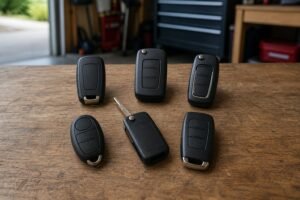
A Vauxhall key fob battery replacement fixes most 'dead key' problems for the price of a coin cell. This guide shows which battery your Vauxhall key takes, how to open it without damage, and what to do if it still won't work.
It covers the Corsa, Astra, Mokka, Insignia, Grandland, Crossland, Zafira, Combo and Vivaro. No reprogramming is needed on most models.
- Which battery your key takes
- How to open the key
- What to check if it still won't work
- How to start with a flat key
Key takeaways
- Read the old cell The code printed on the battery (CR2032, CR2025, CR2450…) is what matters, not the model name.
- Branded cells last longer Cheap no-name cells are a common reason a key still won’t work after a new battery.
- Warnings come early Shorter range and a key-battery message on the dash are the usual signs.
- A flat key can still start the car Flat key and need to drive?


Which battery does my Vauxhall key take?
Good news: almost every Vauxhall key uses a CR2032. Battery sellers list the same cell for the Adam, Astra, Corsa, Crossland, Grandland, Insignia, Meriva, Mokka, Zafira, Combo and Vivaro, and that matches the flip keys used on the Astra J, Insignia and Corsa E. Even so, read the code on the old cell before you buy.
Vauxhall key battery by model

How to change a Vauxhall key battery
-
Fold out or release the blade
On a flip key, press the button so the blade swings out. On a keyless key, slide out the emergency blade.
-
Open the case
Find the notch along the seam and twist a plastic tool or coin gently. Some older keys have a small screw first.
-
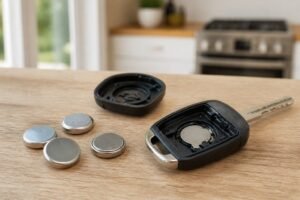
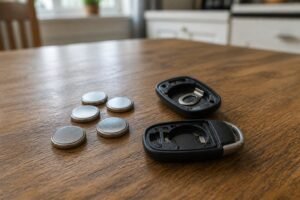
Swap the CR2032
Note which way up the old cell sits, then fit the new one the same way.
-
Close and test
Clip the halves together all round and test lock and unlock.
-
Re-sync if needed
If the remote doesn’t respond, switch the ignition on and press lock or unlock. See re-syncing a Vauxhall remote key.
The best batteries for your Vauxhall key
The safe default for most UK car keys
The CR2032 is the most common car key battery on UK roads, and Energizer’s is the one we’d fit without a second thought. Keys draw short bursts of power every time you press a button or the car checks for a keyless key, and branded lithium cells handle that well. The cells are uncoated, so they make clean contact in tight holders. A four-pack covers your main key, your spare and the next swap.
- Fits the most common key size
- Uncoated for clean contact
- Four-pack covers both keys
- Buy from Amazon itself or a known retailer: fakes exist
- Packaging is fiddly
A trusted brand with a child-safety coating
Duracell’s key cells carry a bitter coating that discourages children from swallowing them. The trade-off is that the coating occasionally stops a cell making good contact in tight holders; if a new one doesn’t work, wipe it with an alcohol wipe or try an uncoated cell.
- Bitter coating for child safety
- Packaged for car keys
- Easy to find
- Coating can cause poor contact in some keys
The thinner cell some keys need
A CR2025 is the same width as a CR2032 but 0.7 mm thinner. Keys designed for it won’t close properly, or won’t make reliable contact, with the wrong cell. If your old battery says 2025, this is the one.
- Correct thickness for CR2025 keys
- Trusted brand
- Four cells for two keys and spares
- Lower capacity than a CR2032

Vauxhall key still not working after a new battery?
- Check the battery is the right way up and fully seated.
- Check the size against the code on the old cell.
- Try a different branded cell. Old stock and fakes can be flat out of the packet.
- Try the spare key. If it works, the first key may be damaged.
- Check the case. If it won't clip shut, the board can move and lose contact.
If the remote still won't respond, it may need re-syncing: see re-syncing a Vauxhall remote key. If the case or hinge is broken, see fixing a Vauxhall flip key. More help: our guide to why a key fob doesn't work after a battery change.
Newer Vauxhalls (the Corsa, Crossland, Grandland, Combo and Zafira, plus the Astra from 2021, Mokka from 2020 and Vivaro from 2019) have a marked spot on the side of the steering column. Hold the key there, buttons facing out, press the brake or clutch and press Start. Older Astra and Mokka models used a spot in the front cupholder instead.
Vauxhall key battery FAQ
What battery does a Vauxhall key fob take?
Almost all take a 3V CR2032, from the Corsa and Astra to the Mokka, Insignia and Grandland. Check the code on the old cell.
Do I need to reprogram my Vauxhall key after changing the battery?
No, but on some older models the remote may need re-syncing: switch the ignition on and press lock or unlock.
How do I start my Vauxhall with a flat key?
On newer models hold the key against the marked spot on the steering column and press Start; on older Astra and Mokka models use the front cupholder.
How long does a Vauxhall key battery last?
Typically a few years. Keyless keys use more power and may need one sooner.
Where is the key hole on my Vauxhall door?
On some Astra, Insignia and newer Grandland models it’s hidden behind a cap at the back of the driver’s door handle.
The bottom line
- Read the code on the old cell
- Use a branded battery
- Test with the spare key
- Know your backup start
A Vauxhall key fob battery replacement takes five minutes: read the old cell, fit a branded replacement the same way up, close the case carefully and test. If the key still won’t work, check the size, try the spare and see the guides linked above.