
A car not detecting the key fob is one of the most common faults on cars with keyless entry and push-button start. You press the start button and get a “key not detected” or “no key” message, even though the fob is in your pocket. In most cases the cause is simple: a tired key fob battery, radio interference, or a weak car battery. This guide explains each cause, how to get the car started today, and how to fix it for good.
When your car can't see the key
A "key not detected" warning looks alarming, but it rarely means the fob or the car is ruined.
Smart keys talk to the car over short-range radio. Anything that weakens that conversation, from a flat coin cell to a phone charger in the wrong place, can stop the car recognising the key. The good news is that almost every car has a backup way to start, and most fixes are cheap.
- The seven most common reasons a car stops detecting its key fob
- How to start the car right now with the backup method
- Simple tests that tell a fob fault from a car fault
The short answer
- Replace the fob battery first A weak coin cell is the most common cause. It costs a few pounds and takes minutes to fit.
- Use the backup start method Most cars will start if you hold the fob against the start button or put it in a marked slot, even with a flat fob battery.
- Move phones and chargers away Phones, wireless chargers and plug-in dash cams can drown out the fob’s signal inside the car.
- Check the car battery A weak car battery can stop the keyless system recognising the key, so test it before paying for diagnosis.
- Try the spare fob If the spare works, the problem is your main fob. If both fail, the fault is in the car.
Why is my car not detecting the key fob? How smart keys work
To understand why a car stops seeing its key, it helps to know how the system works. A smart key fob does two jobs. The buttons send a radio signal to lock and unlock the doors, just like an older remote. The keyless part works differently: aerials hidden in the doors, cabin and boot send out a weak low-frequency signal, and the fob answers with a coded reply when it is close enough.
When you press the start button, the car looks for that coded reply from a fob inside the cabin. If the answer is too weak, too garbled, or missing, the dashboard shows a key warning and the engine will not start. Different makers word it differently, from “key not detected” to “no key detected” or “key not in vehicle”, but the meaning is the same.
One detail confuses many drivers. As KeyMe explains, the buttons and the immobiliser use separate checks. That is why a fob can still lock and unlock the doors while the car reports that the key is not detected. Working buttons do not prove the fob is healthy.
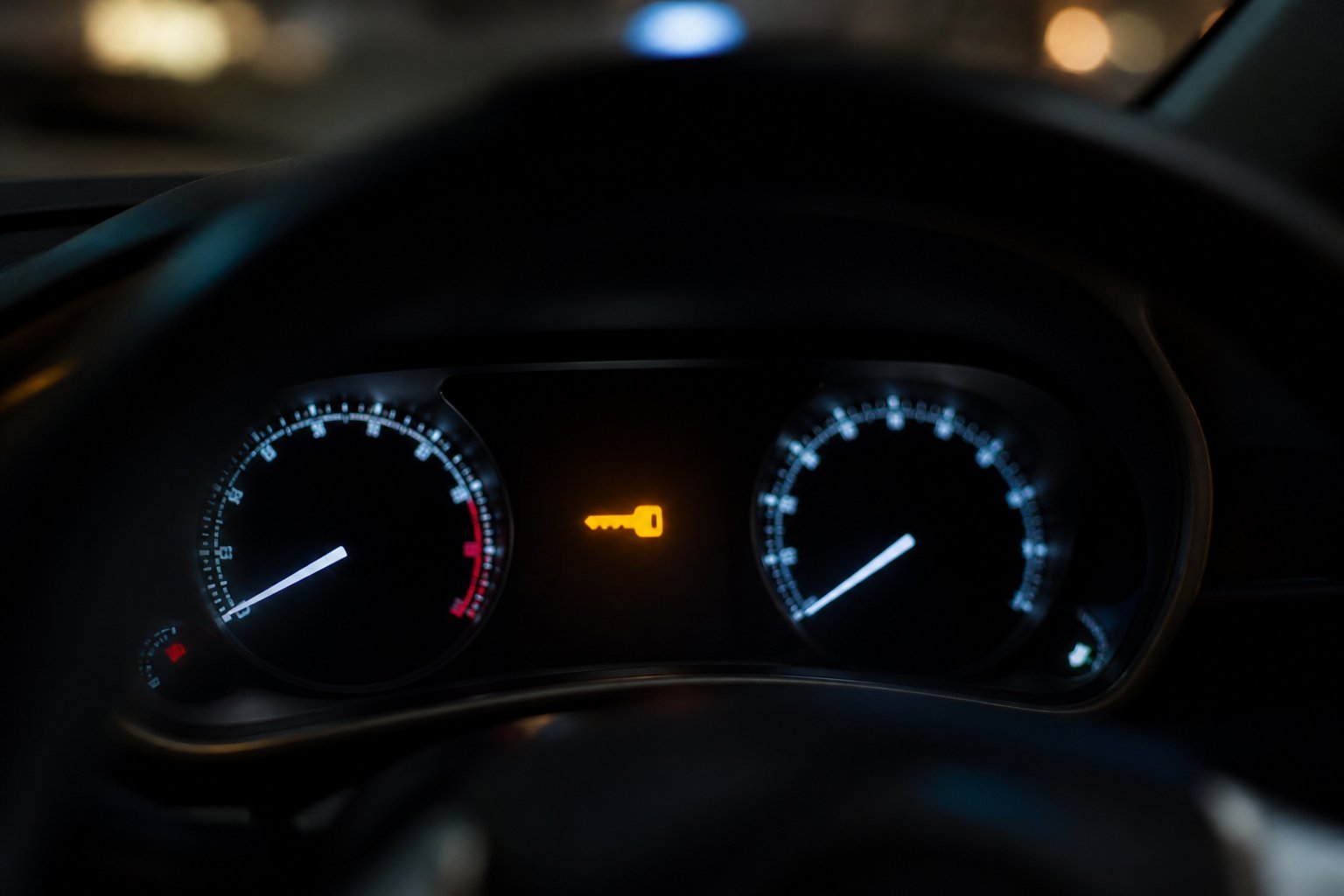
A key symbol or a “key not detected” message means the car can’t hear the fob’s coded reply.
Car not detecting the key fob: 7 common causes
Repair guides from YouCanic, KeyMe and AA1Car agree on the usual suspects. Start with the cheapest and most likely, and work down the list. If you have a car not detecting the key fob only now and then, see our guide to why a key fob only works sometimes as well.
1. A weak or dead key fob battery
This is the number one cause. The coin cell in a smart key powers the radio that answers the car. As it ages, the voltage sags, and the reply gets weaker before the buttons stop working altogether. Every source we checked lists the key fob battery as the first thing to replace when a car stops detecting its key.
Early signs include needing to stand closer to unlock the doors, needing two presses, or a “key battery low” message. Motor1 quotes AutoZone’s advice that a fob with a low but not completely dead battery may only work at very close range. Most fobs take a 3-volt CR2032, CR2025 or CR2450 cell, which costs a few pounds. Our key fob battery guides cover how to change one.
2. Radio interference inside or near the car
YouCanic says interference causes key not detected messages more often than a failed fob does. Inside the car, the usual culprits are phones, laptops, wireless charging pads and cheap plug-in chargers or dash cams in the power socket. Aftermarket alarms and radar detectors can cause it too.
Owners have traced the fault to these gadgets. Members of the ClubLexus forum found a Wi-Fi dash cam caused key not detected warnings, and a thread on the MBWorld forum describes the same problem with a hard-wired dash cam. Outside the car, KeyMe lists car parks, airports, phone masts, industrial equipment and big metal buildings as interference hotspots.
The clue is location. If your car is not detecting the key fob in one particular car park but never on your drive, interference is far more likely than a faulty fob.

Phones, wireless chargers and plug-in gadgets near the fob can drown out its reply to the car.
3. A weak car battery
The keyless system, the immobiliser and the start circuit all depend on the car’s 12-volt battery. YouCanic warns that a partly discharged battery can stop the immobiliser from working properly, so the car may refuse a perfectly good key. KeyMe lists slow cranking, dim or flickering lights and warning lights as signs that the car battery is the real problem.
This matters most in winter and on cars that sit unused for days. If your car battery is more than about five years old, it is a reasonable suspect. A battery test at a garage or parts shop is quick and often free, so do it before paying for keyless diagnosis.
4. A damaged fob
Fobs live hard lives. Drops, a trip through the washing machine, or rain can crack the circuit board, break a solder joint or corrode the battery contacts. YouCanic notes that a fob can be damaged inside while its buttons still unlock the doors, so do not rule it out just because locking works. If yours got wet, see our key fob repair guides.
5. The fob has lost its programming
Smart keys are paired to the car’s immobiliser. Brake & Front End notes that some fobs keep their code after a battery change while others need reprogramming, and that on some Volkswagen fobs, pressing the buttons with the battery out can erase the fob’s memory. KeyMe and other sources add that work on the car’s modules or battery can occasionally knock a key out of sync.
6. A faulty antenna, receiver or control module
If the fob is fine, the problem may be on the car’s side. YouCanic names failed antennas, a faulty receiver and Body Control Module faults. A single broken antenna can cause odd symptoms, such as the key only being detected from the passenger side. Brake & Front End explains that a garage can use a scan tool to check each antenna’s signal strength and pinpoint the fault.
7. A brake switch or gear selector fault
Some “won’t start” faults are not really about the key at all. Push-button cars need the brake pedal pressed and the gearbox in Park or neutral before they will start. YouCanic, AA1Car and Brake & Front End all mention a faulty brake light switch or Park/neutral switch as a cause. A clue is that your brake lights do not come on when you press the pedal.
How to start your car when the key is not detected
If you are stuck, the good news is that almost every car has a backup start method that works even with a flat key fob battery. The fob contains a passive chip that the car can read at very close range without battery power. You just need to put the fob in the right place.
According to AA1Car, many cars want you to hold the fob against the start button, while others have a marked slot or pocket in the dash, centre console, cupholder or armrest. YouCanic lists typical positions by brand, but the exact spot varies by model and year, so always check your owner’s handbook.

On many cars, touching the fob to the start button lets the car read it even with a flat battery.
Typical backup positions, according to YouCanic, include:
Toyota and Lexus: touch the fob to the start button.
Kia: press the fob to the start button; some models need two presses or a 10-second hold.
Hyundai: a slot in the centre armrest.
Nissan: a key slot to the left of the steering wheel.
Volkswagen, Audi and BMW: hold the fob next to the steering column, then press start.
Ford: next to the steering column on many models, or a pocket in the central armrest bin on newer ones.
Chevrolet, Buick and GMC: a marked pocket in the cupholder or armrest bin.
Whatever you drive, press the brake pedal firmly and make sure the car is in Park before you try. If the backup method works, the key fob battery is almost certainly the problem. Fit a new cell as soon as you can, because the backup is a get-you-home fix, not a cure.
If you need to get into the car first, most smart keys hide a metal emergency key inside the fob. Slide the release catch, pull out the blade, and use the hidden lock on the driver’s door. You may need to prise off a small cap on the handle to find the keyhole.
What to do when your car says key not detected
-
Move gadgets away from the fob
Unplug dash cams and chargers from the power socket, take your phone off the wireless pad and keep it away from the key, then try again.
-
Use the backup start method
With your foot on the brake and the car in Park, hold the fob against the start button or put it in the marked slot from your handbook.
-
Try the spare fob
If the spare starts the car normally, your main fob is the problem. If neither works, look at the car’s battery and keyless system.
-
Replace the fob battery
Read the code on the old cell and fit exactly the same type from a reputable brand, with the + side facing the way the markings show.
-
Test the car battery
Slow cranking, dim lights or a battery more than about five years old point to the car battery. Get it tested before paying for diagnosis.
-
Book a diagnostic check
If both fobs fail after these steps, a dealer, locksmith or auto electrician can scan the keyless system, check the antennas and reprogram keys if needed.
How to tell if it's the fob or the car
A few quick checks will usually tell you where the problem lies. Work through them before you spend any money, because the answer decides whether you need a new key fob battery, a garage, or a locksmith.
Does the spare fob work? This is the most useful test. YouCanic, KeyMe and AA1Car all recommend it. If the spare starts the car every time, your main fob has a flat battery, damage or a programming problem. If the spare also fails, AA1Car says the fault is more likely to be in the keyless system, the start button or the engine computer.
Does the backup method work? If the car starts when you hold the fob to the start button, the fob is still paired and the immobiliser is happy. That points strongly to a weak key fob battery or interference, not a deeper fault.
Does it only fail in one place? If you only see a key not detected warning in a certain car park or at work, the cause is almost certainly local interference rather than your car not detecting the key fob because of a fault.
Does it fail when gadgets are plugged in? Unplug everything from the power socket and move your phone, then try again. If the problem vanishes, plug things back in one by one to find the culprit.
Are there other electrical signs? Slow cranking, dim lights or a battery warning point to a weak car battery. Brake lights that do not work point to the brake switch.

A quick battery test rules out low voltage before you pay for keyless system diagnosis.
The spare fob is your best diagnostic tool and your get-home plan. Keep it safe at home, in a signal-blocking pouch if you worry about keyless theft, and check its battery every year or two.
Fixing a car not detecting the key fob for good
Once you know the cause, the fix is usually easy. Here is what to do for each one.
Flat fob battery: fit a new coin cell of exactly the same type. Take a photo before you remove the old one so you know which way it goes, and clean the contacts while the case is open. If the fob still isn’t recognised after a new battery, our guide to a key fob not working after changing the battery covers the usual mistakes.
Interference: keep your phone and the fob apart, and do not leave the fob on or next to a wireless charging pad. Swap cheap plug-in chargers for better-quality ones, and move or rewire a dash cam if it turns out to be the cause. If the problem only happens in one car park, use the backup start method there.
Weak car battery: charge it or replace it. A battery that keeps going flat may also point to a parasitic drain or a charging fault, so ask the garage to check the alternator too.
Damaged fob: if the board is corroded or cracked, a repair may be possible, but often a new key is the safer choice. A cracked case on its own can be fixed by moving the electronics into a new shell.
Lost programming: some cars let you reprogram a fob yourself, but most smart keys need a dealer or an auto locksmith with the right equipment. See our key fob programming guides for more on your options.
Antenna or module fault: this needs a professional. A dealer or auto electrician can scan the system and test each aerial. Ask whether there is a technical service bulletin for your model, because some makers have issued updates for keyless faults.
Which battery does your key fob take?
A fresh battery fixes most "key not detected" warnings. Most fobs take a CR2032, but some use a thinner CR2025 or CR2016. Open the fob and read the code printed on the old cell before you buy.

The safe default for most key fobs
Energizer’s CR2032 is the cell to reach for when your fob takes a 2032. Fobs draw short bursts of power with every button press and every keyless check, and branded lithium cells handle that well. The cells are uncoated, so they make clean contact in tight holders. A four-pack covers your main fob, your spare and the next swap.
- Fits the most common fob size
- Uncoated for clean contact
- Four-pack covers both fobs
- Buy from Amazon itself or a known retailer: fakes exist
- Packaging is fiddly

A trusted brand with a child-safety coating
Duracell’s key fob cells carry a bitter coating that discourages children from swallowing them. The trade-off is that the coating occasionally stops a cell making good contact in tight holders; if a new one doesn’t work, wipe it with an alcohol wipe or try an uncoated cell.
- Bitter coating for child safety
- Packaged for key fobs
- Easy to find
- Coating can cause poor contact in some fobs

For fobs that take a thinner CR2025
Some fobs use the thinner CR2025. It’s the same diameter and voltage as a CR2032, but use the size printed on your old cell.
- Trusted brand
- Child shield packaging
- 4 cells
- Check your fob’s size first

For slim fobs that take a CR2016
A thinner cell used in some slim remotes. Duracell adds a bitter coating to discourage swallowing.
- Child-safety coating
- 4 cells
- Long shelf life
- Lower capacity than a CR2032
When a new car keeps saying key not detected
It is not just older cars. Motor1 reported on a new Mazda owner whose car, at around 6,000 miles, kept showing a key not detected message. She had replaced the fob battery at least three times and said the fob was “hit or miss”, sometimes refusing to unlock the doors. Readers suggested interference and a crowded keyring as possible causes.
Brake & Front End, a trade magazine for mechanics, says intermittent push-button start faults are a common complaint, and that some cars don’t see the fob in the cabin until it is moved. RepairPal collects similar owner reports, often worse in the mornings. If a new car keeps doing it, keep a note of when and where it happens and take it back to the dealer while it is under warranty.
Can cold weather stop the car detecting the key?
Yes. Lithium coin cells deliver less power in the cold, so a tired key fob battery that copes in summer can fail on a frosty morning. Cold also strains the car battery, which can upset the keyless system. If your car only struggles to detect the fob in winter, replace the coin cell before the cold sets in. Our winter key fob tips have more advice.
Could a signal-blocking pouch be the problem?
Signal-blocking pouches and boxes are popular because they stop thieves relaying your key’s signal. They work by blocking radio waves completely, which also leaves the car not detecting the key fob while it is inside one. If you have started keeping your keys in a pouch, a metal tin or a lined wallet, take the fob out before you press the start button.
The same goes for anything bulky on your keyring. Other smart keys, RFID cards, building passes and metal key tags can all sit between the fob and the car’s aerials. Try the fob on its own, held in your hand, to see whether the key not detected warning goes away. If it does, slim down your keyring or keep work passes in a different pocket.
How much does it cost to fix?
Most fixes for a car not detecting the key fob cost very little. A new coin cell is a few pounds, and a battery test is often free at a parts shop. A new car battery is a bigger cost but a common one. Costs rise if you need a replacement smart key: one fob retailer puts a new key from a dealer at roughly $300 to $600 in the US, and prices in the UK are similar, with an auto locksmith often charging less.
Keyless system faults, such as a failed antenna or control module, vary a lot by car. Get a diagnosis first, so you only pay for the part that has actually failed.
When to call a locksmith or dealer
If you have fitted a fresh key fob battery, ruled out interference and checked the car battery, and the car still isn’t detecting the key fob, it is time for professional help. If the spare fob works, an auto locksmith can usually test, repair or replace your main fob and program it to the car, often for less than a dealer.
If neither fob works, or the car only starts with the backup method no matter which key you use, the problem is likely in the car’s keyless system. A dealer or auto electrician can scan for fault codes, test the antennas and check the start button. AA1Car notes that some keyless faults mean the car has to be recovered to a dealer, so do not leave a car not detecting the key fob until it strands you.
For more help with fob faults, browse our key fob troubleshooting guides, start with why is my car key fob not working, or read about how keyless entry works.
Key not detected myths
The buttons and the keyless start system use separate checks. A weak battery can still manage a button press while the car fails to detect the key.
Most cars have a backup method: hold the fob to the start button or put it in a marked slot, and the car can read it without battery power.
Most cases are a fob battery, interference or a weak car battery. Module and antenna faults happen, but they are less common.
Car not detecting key fob: FAQs
Why is my car not detecting my key fob?
The most common causes are a weak fob battery, radio interference from phones, chargers or dash cams, a weak car battery, a damaged fob, lost programming, or a fault with the car’s antennas or control module.
How do I start my car if it says key not detected?
Press the brake, make sure the car is in Park, and hold the fob against the start button or place it in the backup slot shown in your handbook. The car can read the fob at close range even if its battery is flat.
Why does my key fob unlock the car but it won't start?
The buttons and the keyless start system use different checks. A weak fob battery, interference inside the car, or a fault with the cabin antenna can stop the car detecting the key even though the buttons work.
Can a phone stop my car detecting the key fob?
It can. Phones, wireless chargers and cheap plug-in chargers or dash cams can interfere with the fob’s signal. Keep them away from the key and unplug gadgets to test.
Can a weak car battery cause key not detected?
Yes. A partly discharged car battery can stop the immobiliser and keyless system working properly, so get the battery tested before paying for diagnosis.
Do I need to reprogram my key after changing the battery?
Usually not. Most fobs keep their programming, but a few models can lose it. If the car still won’t detect the fob after a new battery, check the battery type and orientation first, then ask a locksmith or dealer.
The bottom line
- Use the backup method: fob to the start button or the marked slot
- Replace the fob battery with exactly the same type
- Move phones, chargers and dash cams away from the key
- Test the car battery and try the spare fob
A car not detecting its key fob is usually down to a weak fob battery, interference or a weak car battery. Use the backup start method to get going, replace the coin cell, and test with the spare fob. If both fobs fail, the fault is in the car and needs professional diagnosis.