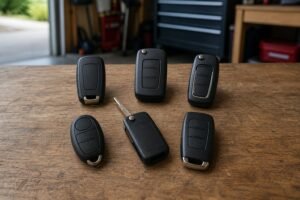

Jeep key fob not working? Start here
When a Jeep key fob is not working, the doors won't unlock, keyless entry ignores you, or the dash says 'key fob not detected'. Most of the time the fix is simple. This guide works through the causes in order, from a flat battery to the vehicle's radio-frequency hub.
It covers Grand Cherokee, Wrangler, Gladiator, Cherokee, Compass and Renegade models.
- The quick checks, in order
- How to start with a dead fob
- Known issues and service bulletins
- When to see a dealer
Key takeaways
- Battery first A weak coin cell is the most common cause.
- Use the backup start Holding the fob’s nose against the START/STOP button works even with a dead battery.
- Watch for interference Phones and wireless chargers near the fob can stop it being detected.
- Both fobs failing points to the vehicle The radio-frequency hub (RF hub) module is a known culprit on some models.
Jeep key fob not working: checks in order
-
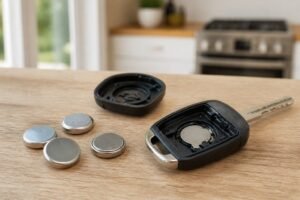
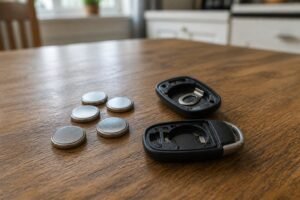
Replace the fob battery
A weak cell is the leading cause. Most Jeeps take a CR2032; the Wrangler JL and Gladiator are often listed with a CR2450.
-
Try the spare fob
If it works, the first fob is the problem.
-
Move away from interference
Phones, wireless chargers and other electronics near the fob can stop it being detected.
-
Check for water damage
Fobs are water-resistant, not waterproof. If it got wet, remove the battery and let it dry fully.
-
Check the vehicle battery
A weak 12V battery can upset keyless systems.
-
Ask about RF hub updates
If both fobs fail, the Radio Frequency Hub module (RFHM) may need a software update or replacement.

How to start with a dead or undetected fob
Backup starting method
-
Get in with the emergency key
Slide the latch on the back of the fob, pull out the metal key and use it in the driver’s door lock.
-
Press the brake
Shift to Park or Neutral and press the brake pedal.
-
Hold the fob against the button
Put the nose of the fob (the end opposite the emergency key) against the START/STOP button.
-
Press the button
Push the button using the fob. The vehicle reads the fob at close range and starts.
Stellantis owner’s manuals describe this backup starting method.
Known issues and service bulletins
Jeep has issued several technician bulletins for the Radio Frequency Hub Module (RFHM), the receiver that talks to your fob. Bulletins have called for RFHM software updates on the 2014–2015 Grand Cherokee and Dodge Durango, a 'Key Not Detected' fix for the 2015 Grand Cherokee, and RFHM updates for 2024 Grand Cherokee and Grand Cherokee L models. In 2022, owners of new Grand Cherokees also reported fobs losing communication, with dealers pointing to the RF hub. If both of your fobs misbehave, ask a dealer whether a bulletin applies to your VIN.
You can look up bulletins for your vehicle at NHTSA's recalls and investigations page.
Fix it with a fresh battery
Start with a quality CR2032 (or the size printed on your old cell). Our Jeep key fob battery replacement guide shows how.

The safe default for most key fobs
Energizer’s CR2032 is the cell to reach for when your fob takes a 2032. Fobs draw short bursts of power with every button press and every keyless check, and branded lithium cells handle that well. The cells are uncoated, so they make clean contact in tight holders. A four-pack covers your main fob, your spare and the next swap.
- Fits the most common fob size
- Uncoated for clean contact
- Four-pack covers both fobs
- Buy from Amazon itself or a known retailer: fakes exist
- Packaging is fiddly

When to see a dealer or locksmith
If both fobs fail, even with fresh batteries and the backup start, the fault is on the vehicle side. A dealer can check for software updates to the RF hub and test the antennas. If only one fob has failed, a replacement can be programmed by a dealer or a locksmith; see programming a Jeep fob and Jeep replacement key cost.
More background: why your car isn't detecting the key fob and why a key fob only works sometimes.
Jeep key fob not working FAQ
Why did my fob stop working?
Usually a weak battery. Other causes include interference, water damage, worn contacts or a fault in the vehicle’s RF hub module.
Why does it say 'key fob not detected'?
The vehicle can’t detect the fob inside the cabin. Replace the battery, move it away from phones and wireless chargers, and use the backup start.
Can I start with a dead fob?
Yes. Hold the nose of the fob against the START/STOP button and press it with your foot on the brake.
Both fobs stopped working at once. Why?
That points to the vehicle, often the RF hub module or its software. See a dealer.
Do I need to reprogram a fob after a new battery?
No. If it still doesn’t work, check the battery, then the fob itself.
The bottom line
- Battery first
- Keep it away from chargers
- Try the spare
- Both failing means the vehicle
When a Jeep key fob is not working, start with a fresh battery, move it away from phones and wireless chargers, and try the spare. Use the nose-of-fob backup to start. If both fobs fail, the vehicle’s RF hub needs checking.